
Take Cash, Check, and ACH payments in your retail shop

Until now, orders in your retail shop could only be paid by credit or debit card. If a customer's default payment method was a bank account or cash and check, checkout quietly pushed them onto a card anyway — and anyone with no card on file simply couldn't finish a retail order. Those options already existed for CSA subscriptions, but retail had no equivalent. Now your retail shop can take Cash/Check and bank transfer (ACH) too.
If you already accept cash, checks, or bank transfers for your CSA, you can now offer those same options to your retail shoppers — no more turning away someone who'd rather not use a card. And because retail payment settings are their own thing, separate from your CSA, you can offer different methods in each place.
What customers see at checkout
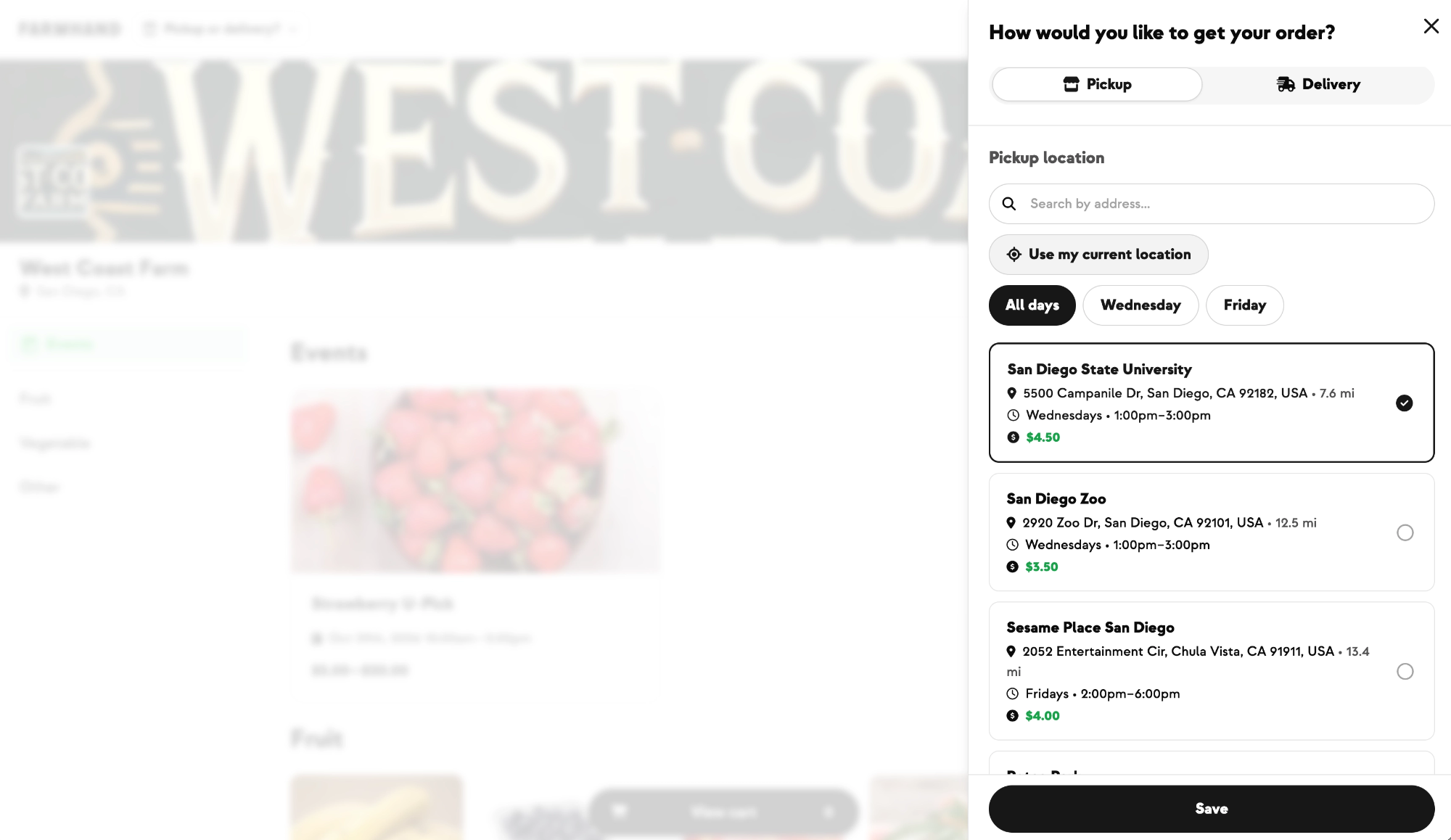
Shoppers can now pay with any method your shop allows. If their default is a bank account or cash/check, that's honored at checkout instead of being swapped for a card. New customers with no saved payment method get a simple selector to choose Card, Bank Account (ACH), or Cash/Check before entering their details — the same experience they'd see in CSA signup. The selector only appears when your shop offers more than one method, so card-only shops look exactly as they do today.

Choosing Cash/Check doesn't require any payment to place the order. The order goes through and an invoice is created with a due date matching the order's fulfillment date, so the customer isn't hit with a "past due" warning the moment they check out — they simply pay you directly.

Choosing Bank Account (ACH) places the order and kicks off the bank transfer, which settles over the next few days; the order moves from "Payment Pending" to paid once it clears. As with CSA, ACH and Cash/Check orders carry your reduced service fees — a smaller cut than card orders — reflecting the lower cost of those payment types.
Collecting cash and check payments
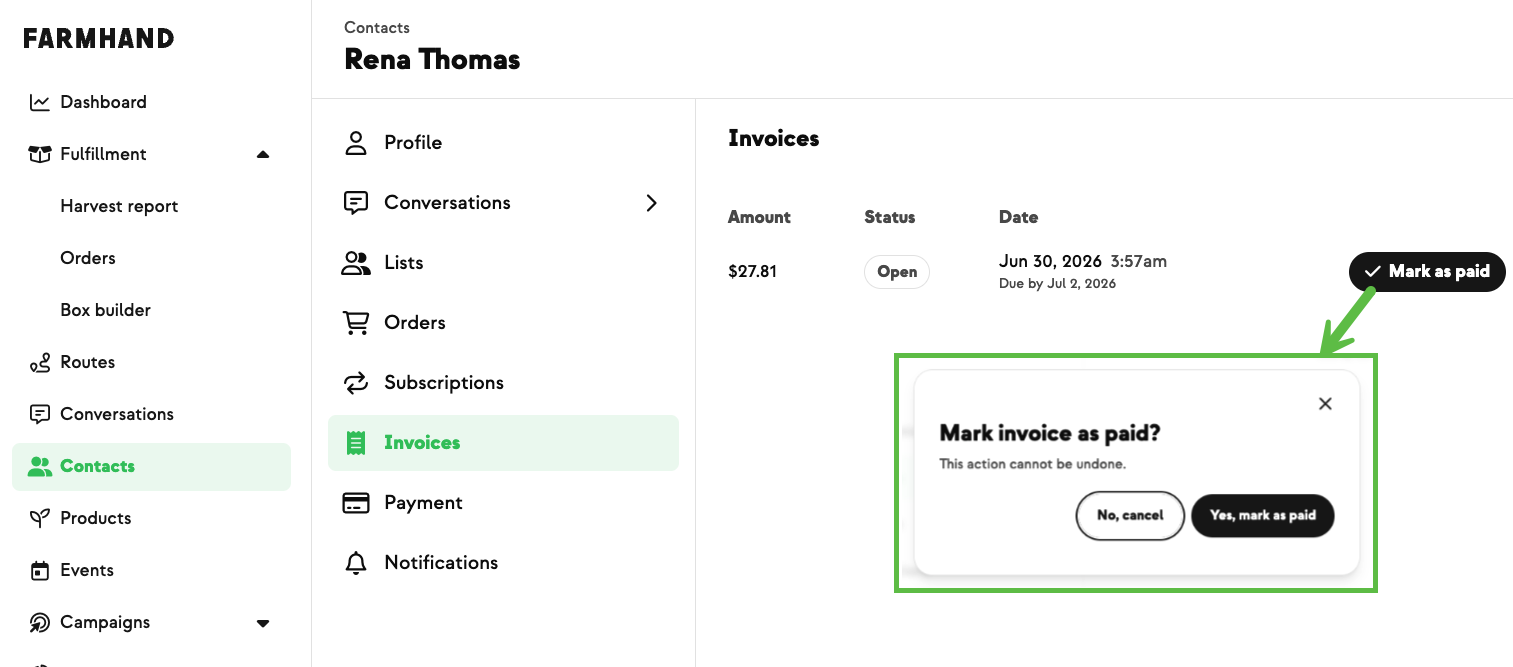
When a customer pays by cash or check, you collect the money directly and then mark the invoice paid from their invoices page (Contact → Invoices), confirming in a quick dialog. Once a customer has no unpaid invoices left, they drop off the Past Due / Failed Payments report and stop seeing the past-due banner — the same "mark as paid" flow you already use for CSA cash/check invoices.
Both Cash/Check and ACH start off by default, so nothing changes for your existing shops until they're switched on in your shop's payment settings — and turning one on for retail never touches your CSA payment settings.
Built With Farmers. Not For.

Lacy Zuck
New on Farmhand




Your farm is growing.
Your platform should keep up.
Our roadmap is built from farmer conversations, not corporate planning cycles. You ask. We build. You see it live.