
Apply or change a coupon on any subscription
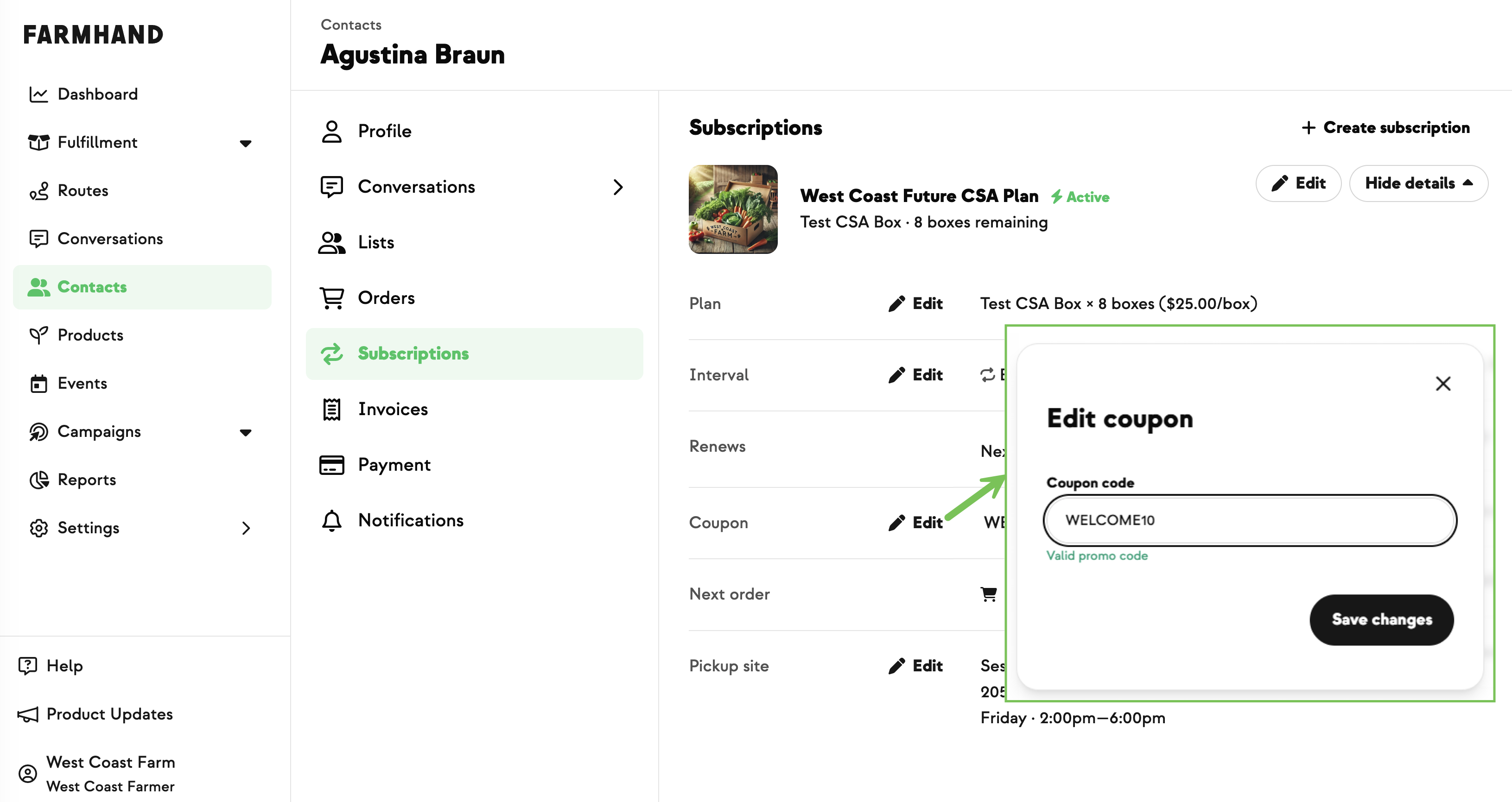
Until now, a coupon could only be added one way: a customer typing a promo code at signup. There was no way to see whether a subscription had one, or to change it afterward. Now there's a Coupon row right on the Subscriptions tab that shows the applied code (or "No coupon applied"), with an inline Edit action to add, swap, or clear it — and instant feedback on whether a code is valid. The same field is built into the Create Subscription tool, where a valid code updates the invoice preview before you submit. Comps, sponsored shares, and trade arrangements no longer need a manual back-end fix. Customers can see the coupon, but can't change it.
New on Farmhand



Your farm is growing.
Your platform should keep up.
Our roadmap is built from farmer conversations, not corporate planning cycles. You ask. We build. You see it live.