
Farmhand Routing 101: For Drivers
Delivery day runs through the Farmhand driver view — here's how to get your drivers set up and rolling.
Getting drivers signed in
Have each driver sign in at gofarmhand.com/sign-in on their phone or any internet-connected device, using one of your premade driver account emails (e.g., driver@gmail.com). A one-time code is sent to that email — enter it to finish signing in.
Then send the driver a direct link to their route from your Routes page.
.png)
Once the route is generated in the system (after the order confirms), they'll tap "Navigate" to launch delivery routing and get taken to the first stop.
At each stop
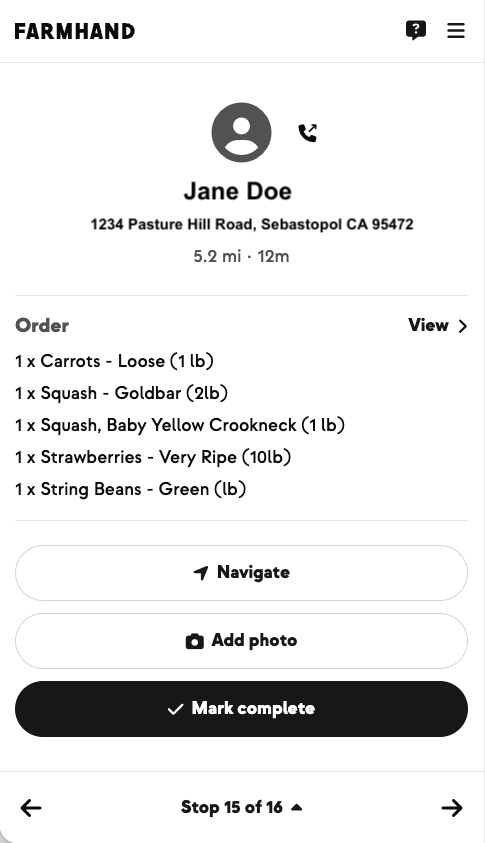
- Tap Navigate to launch Google Maps turn-by-turn navigation.
- Tap Add Photo to include a proof-of-delivery photo — this step is optional.
- Tap Mark Complete to send the customer an automated delivery SMS and email. You're then taken to the next stop.
For the photo, we recommend making sure boxes and add-ons are visible with labels facing out. If a member reports a missing item, the photo makes it easy to verify that everything made it as expected.
New on Farmhand


Your farm is growing.
Your platform should keep up.
Our roadmap is built from farmer conversations, not corporate planning cycles. You ask. We build. You see it live.