
Preview automated customer email and SMS notifications
Until now, the only way to see what customers were actually receiving from your farm was to wait for a notification to fire and hope you were on the recipient list — or ask Farmhand support to look it up. That made it hard to onboard, hard to tweak tone, and hard to feel confident that the messages going out in your name sounded like you.
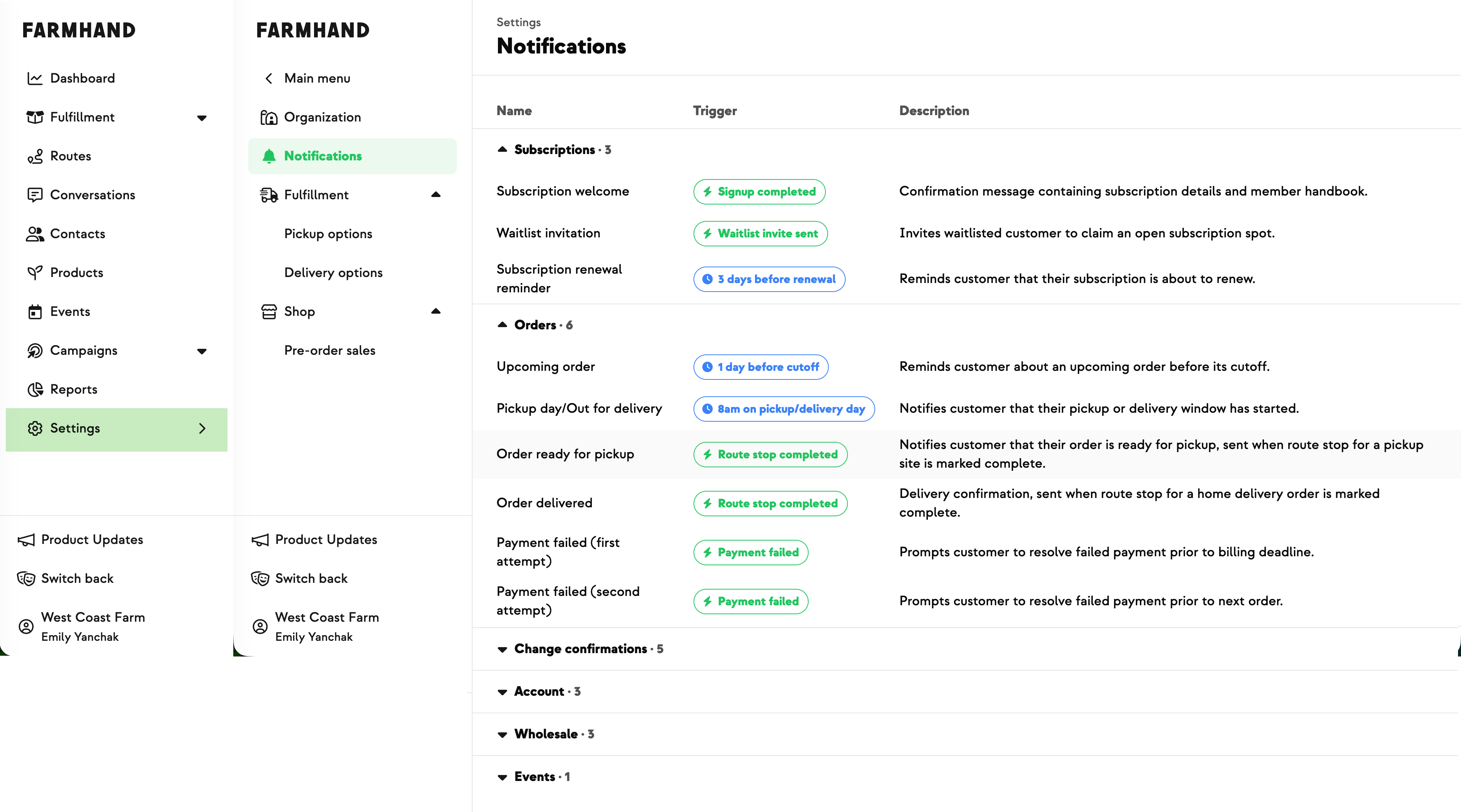
The new Notifications page changes that. It shows a gallery of every email and SMS template available to your farm, with anything that doesn't apply to your setup hidden automatically — pickup-only farms won't see delivery-only notifications, farms that don't take installments won't see installment reminders, and so on.
Click any template to open a side-by-side preview of the email and SMS rendered as a real customer would see them, with your farm's name and logo merged in.
When a notification supports customization, a Customize copy section appears at the bottom of the page. Type in your own copy, hit Save, and your wording replaces the default. Clear it and save again to revert. For now, the Upcoming Order header is the one piece you can edit — more notifications and more sections will open up from there over time.
Built With Farmers. Not For.

Randi Townsend
Randi at Ferme Pleine Lune wanted a single place where she could see, in one go, every standard message her farm was sending to customers — instead of waiting to land on a recipient list to find out what was actually going out. The Notifications gallery is built around that ask: all templates in one view, rendered against sample data exactly the way a customer would see them.
New on Farmhand

Your farm is growing.
Your platform should keep up.
Our roadmap is built from farmer conversations, not corporate planning cycles. You ask. We build. You see it live.